Dismiss
Innovations
Everpure Simplifies Enterprise AI with Evergreen//One for AI and Data Stream Beta
Accelerate the transition from pilot to production with benchmark-proven performance, automated data pipelines, and a flexible consumption model.
Dismiss
June 16-18, Las Vegas
Pure Accelerate 2026
Discover how to unlock the true value of your data.
Dismiss
Innovation
A platform built for AI
Unified, automated, and ready to turn data into intelligence.
What Is DRAM?
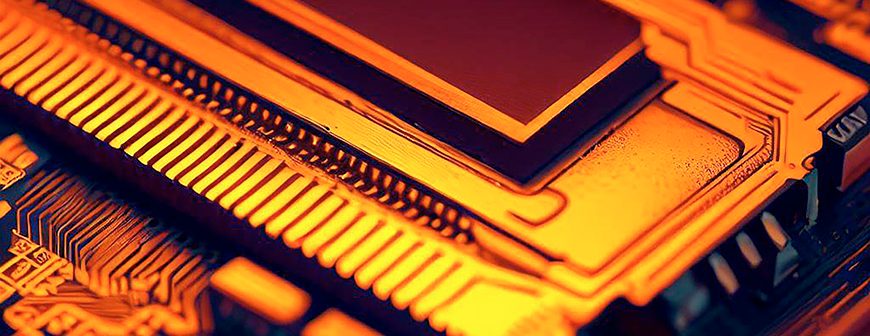
Dynamic random access memory (DRAM) is a type of primary memory used to temporarily store information to send to a central processing unit (CPU) and return to an application to provide output to users. Computer memory is an important component in desktops and mobile devices, but the type and speed of DRAM determines performance of a computer.
DRAM is a form of volatile storage that holds information for as long as the computer is powered on. DRAM is a series of circuits that stores data for applications or the CPU to use for calculations. The distinct difference between drives and DRAM is that DRAM is primary storage that does not persist after a power outage, while storage drives are secondary storage that persists even after the power is turned off.
What Are the Characteristics of DRAM?
As a volatile memory medium, DRAM’s defining characteristics include:
- Volatile memory: DRAM retains data only when powered on. Once the power is off, the stored information is lost.
- Refresh cycles: DRAM cells need to be refreshed periodically to maintain data integrity as they tend to leak charge over time.
- Speed: DRAM is faster than non-volatile secondary storage media such as HDDs and SSDs but slower than static RAM (SRAM), which is the second major type of RAM.
DRAM gets its namesake from the need to refresh cycles to maintain data integrity. While not as fast as SRAM, the trade-off is a lower cost and power draw.
What Is DRAM Used For?
All computers need a form of temporary storage, and DRAM is often the primary choice for manufacturers. Servers, desktops, and mobile device manufacturers install a type of DRAM into their devices. Any modern computer likely has DRAM installed as part of its build for volatile storage necessary in any application.
Graphics cards also use DRAM. A graphics card has a graphics processing unit (GPU) used to help with rendering and processing images and videos. DRAM is used in graphics card memory to provide calculations without interrupting the CPU. Because GPUs perform calculations alongside a CPU, it speeds up rendering of graphics and games.
How Does DRAM Work?
A memory cell in DRAM contains a transistor and capacitor and stores a bit. Every memory cell stores a bit of data, and the transistor is responsible for charging the capacitor when a bit must be stored. When the computer is ready to store data, it sends a charge to the transistor. The charge initiates storage of bits, and the memory cell is recharged every few milliseconds to ensure data is not lost. Capacitors slowly lose their charge, so an external refresh circuit rewrites data to the capacitor and refreshes its charge. DRAM has a finite number of bits it can store, but the number of circuits determines the amount of bits DRAM can store. A single DRAM chip usually stores 8GB, 16GB, 32GB, or 64GB.
Computers work with the binary number system, which is a series of ones and zeros. However, when working with memory maintenance and data assignment, DRAM addresses are presented in hexadecimal notation, which is a base-16 number system. A DRAM chip contains an array of memory banks arranged in rows and columns. At the intersection of a row and column is the capacitor containing a bit. When the CPU needs data from DRAM, a control unit retrieves bits and sends them to the CPU. The CPU sends output back to the control unit, which then sends it to DRAM to store for application use.
Related reading: What Is VRAM?
DRAM Speed Comparisons
So where does DRAM fit within the larger world of storage? In this section, we’ll take a closer look at some common speed comparisons to get a general idea of how DRAM stacks up to other types of storage media.
DRAM vs. HDDs and SSDs
As a non-volatile storage media, DRAM is inherently faster than persistent storage media such as HDDs and SSDs. There are two major bottlenecks that currently prevent persistent storage from reaching the speeds of volatile storage media like DRAM:
- Physical: DRAM storage writes occur as purely electrical state changes using a combination of transistors and capacitors. The ability to store data in the absence of power (i.e., non-volatility) comes at the cost of relying on other mechanisms.
- Interface: SSDs and HDDs must talk to a CPU through a controller and an interface. Persistent storage doesn’t typically have a direct line to the CPU.
That said, engineers are finding new ways to close the speed gap between secondary and primary storage. Learn how a new type of memory called storage-class memory (SCM) is working to close that gap.
DRAM vs. SRAM
Static random access memory (SRAM) is the other major form of RAM available for computer systems. SRAM is faster than DRAM, so it’s used in caching data. Cached data is fast and readily available information for a CPU to process to improve performance of a computer. SRAM also only uses transistors and does not contain any capacitors.
SRAM is more volatile than DRAM, but it’s also faster and usually present on the CPU. Computer manufacturers do not need to install SRAM since it’s integrated on the CPU, while DRAM must be installed when building the computer. SRAM has six transistors, and its proximity to the CPU and quick access makes it faster and necessary for caching.
DRAM vs. SDRAM
Synchronous DRAM (SDRAM) is a generation of computer memory that can synchronize to the clock speed of the CPU. Matching the clock speed improves performance of data exchange between the CPU and computer memory. Because SDRAM is synchronous, the blocks of memory banks can perform data exchange simultaneously, allowing for more data to be processed at faster speeds than standard DRAM.
DRAM vs. DDR
The next generation of computer memory is DDR, or double data rate SDRAM. DDR is faster based on exchange of data sent during the rise and fall of the internal CPU clock, which sends double the data of SDRAM. DDR has a clock speed multiplier. For example, DDR2 multiplies the clock speed by 2. DDR4 has four times the clock speed. Higher clock speeds mean that more data can be exchanged at faster speeds.
Conclusion
Every desktop computer and mobile device uses a generation of DRAM to power volatile primary storage. The generation of DRAM used in a device will determine the speed of applications and output from any activity. Even when you provision servers for your network environment, you often choose the memory. It’s this memory that factors into server speed and performance of your applications.
Experience DRAM-like speeds with Everpure DirectMemory™ Cache. Using Intel Optane, it bridges the gap between traditional NAND and DRAM, revolutionising storage-class memory.
We Also Recommend...
Browse key resources and events

TRADESHOW
Pure Accelerate 2026
June 16-18, 2026 | Resorts World Las Vegas
Get ready for the most valuable event you’ll attend this year.

PURE360 DEMOS
Explore, learn, and experience Everpure.
Access on-demand videos and demos to see what Everpure can do.

VIDEO
Watch: The value of an Enterprise Data Cloud
Charlie Giancarlo on why managing data—not storage—is the future. Discover how a unified approach transforms enterprise IT operations.

BLOG
What’s in a Net Promoter Score?
For nine consecutive years, Everpure has maintained a Net Promoter Score of over 80. Find out how we did it and what it means for our customers.
Personalize for Me