Dismiss
Innovations
Everpure Simplifies Enterprise AI with Evergreen//One for AI and Data Stream Beta
Accelerate the transition from pilot to production with benchmark-proven performance, automated data pipelines, and a flexible consumption model.
Dismiss
June 16-18, Las Vegas
Pure Accelerate 2026
Discover how to unlock the true value of your data.
Dismiss
Innovation
A platform built for AI
Unified, automated, and ready to turn data into intelligence.
What Is vSAN HCL?
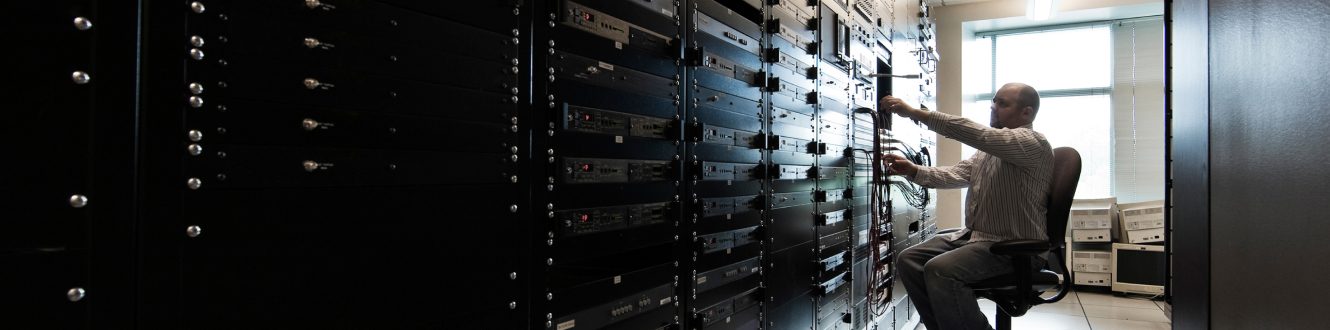
The vSAN product is a VMware solution that combines several virtual storage devices and presents the group as a single storage location for users. A Hardware Compatibility List (HCL) is a database of products supported by the vSAN product. Broadcom provides this list to scan your storage environment for any potential issues during deployment.
What Is vSAN HCL?
vSAN HCL (Hardware Compatibility List) is a VMware-maintained list of supported hardware components and configurations compatible with VMware vSAN deployments.
For enterprise corporations, a vSAN provides huge silos of storage where users can store large files, including backups for disaster recovery. A virtual SAN combines several servers—both on premises and in the cloud—for organisation and convenience. For example, instead of mapping 10 different storage drives, a vSAN combines storage into a single silo. The combined storage devices are controlled using virtualisation software.
An HCL is a tool used to ensure that the hardware controlling storage devices is compatible with the virtual SAN environment. Not every storage controller, RAID controller, or adapter can work with a vSAN. Having the vSAN HCL tool will tell administrators if any of their current hardware needs updates or must be replaced to support the environment.
Importance of vSAN HCL
Without a tool to identify compatibility issues, administrators could waste hours configuring an environment that ultimately does not connect or respond to vSAN software. A vSAN environment is software-based, so the hardware behind storage devices must be supported by the software that you use. An HCL will identify incompatible storage devices so that they can be replaced.
Storage devices aren’t the only devices in a vSAN, which also consists of network connectivity, RAID controllers, servers hosting the devices, and operating systems. In large enterprises, a SAN could span several locations and several storage devices. The HCL tool identifies all potential issues and tells administrators if any devices cannot be connected.
How to Access and Use the vSAN HCL
The vSAN HCL tool is included with the VMware/Broadcom vCenter software. The backend is a database that must be updated either automatically or manually. As new hardware is released to the public, the HCL database is updated to recognize it. The HCL tool and update information can be found in vCenter.
All hardware can be scanned for a health check to ensure that hardware is running smoothly. For example, if the HCL detects errors on a storage device, the device could fail in the near future. Broadcom’s HCL tool alerts administrators to potential failure to avoid disaster and data loss.
Updating and Maintaining vSAN HCL Compliance
While administrators must keep the HCL database updated, vCenter has an interface to check for any updates. Update notifications are located in the vSAN section of vCenter. From the vCenter interface, administrators can identify if updates are available using internet connectivity or update the database manually using an official Broadcom file.
To update the HCL, click “Get Latest Version Online” to download the latest version from the internet. Administrators have access to an HCL feed from the official Broadcom site where a file can be created and downloaded. This file can be used to manually update the HCL. After updating, click the “Retest” button to make sure the update was successful.
Common Misconceptions about vSAN HCL
Many people think that storage devices alone make up a vSAN, but other hardware is also involved and included in the HCL database. For example, firmware must be updated and compatible with the vCenter software. The HCL checks for hardware and software running on a server to ensure that it will work with the virtual SAN.
Drivers for each operating system are necessary for vSAN compatibility. The HCL checks that drivers are updated so that administrators can update them if necessary. Any issues communicating with the vSAN are reported in vCenter so that administrators can address them.
Conclusion
Enterprises working with vCenter and Broadcom’s vSAN storage setup should check the HCL tool for any issues. If you’re setting up a new vSAN, the HCL tool will help identify compatibility issues and alert administrators if any updates are necessary. To avoid issues, use solutions with the latest hardware in storage like Everpure FlashArray™ or Everpure Cloud Dedicated.
We Also Recommend...
Browse key resources and events

TRADESHOW
Pure Accelerate 2026
June 16-18, 2026 | Resorts World Las Vegas
Get ready for the most valuable event you’ll attend this year.

PURE360 DEMOS
Explore, learn, and experience Everpure.
Access on-demand videos and demos to see what Everpure can do.

VIDEO
Watch: The value of an Enterprise Data Cloud
Charlie Giancarlo on why managing data—not storage—is the future. Discover how a unified approach transforms enterprise IT operations.

BLOG
What’s in a Net Promoter Score?
For nine consecutive years, Everpure has maintained a Net Promoter Score of over 80. Find out how we did it and what it means for our customers.
Personalize for Me