Dismiss
Innovations
Everpure Simplifies Enterprise AI with Evergreen//One for AI and Data Stream Beta
Accelerate the transition from pilot to production with benchmark-proven performance, automated data pipelines, and a flexible consumption model.
Dismiss
June 16-18, Las Vegas
Pure Accelerate 2026
Discover how to unlock the true value of your data.
Dismiss
Innovation
A platform built for AI
Unified, automated, and ready to turn data into intelligence.
What Is a Remote Access Controller?
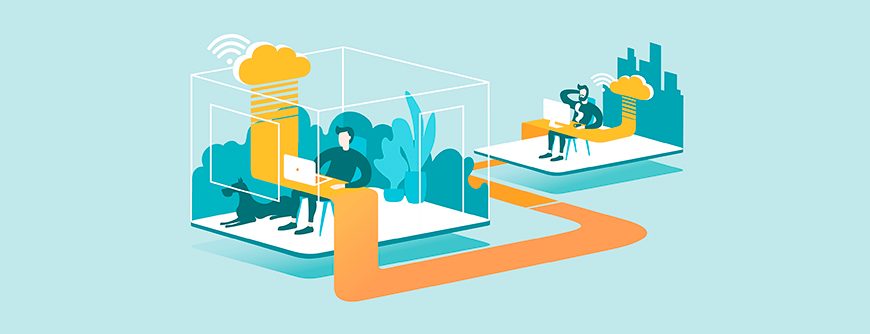
Some network administrators manage workstations across the globe, so they need a remote access controller to remotely authenticate and control a computer from their location. Server administrators also use remote access controllers to manage servers in a data centre or in the cloud. If you plan to host a server in the cloud, chances are that you’ll need a remote access controller to configure it and install software from your workstation.
What Is a Remote Access Controller?
Some operating systems include a remote access controller. For example, Windows uses Remote Desktop Protocol (RDP) and Linux has Secure Socket Shell (SSH). Any tool allowing for remote control of a server or a remote workstation could be considered a remote access controller. Operating systems contain remote access capabilities, but third-party software is also available.
No special hardware is needed for standard remote access controllers, but you need to install software or enable it if you choose to use the operating system’s embedded application. Third-party software must be installed on all systems if you choose to use a different application from what is included with your operating system. Most administrators working in a large enterprise environment need remote access control to support users in different locations or servers located in a data centre.
How Does a Remote Access Controller Work?
A remote access controller uses a client application located on the administrator’s workstation to connect to the server application located on the remote machine. The software sends keyboard and mouse commands to the remote machine so it appears to administrators that they’re working on their local workstation. Administrators can have multiple remote control sessions open and transfer files to and from the remote server.
What Is an Integrated Remote Access Controller?
Integrated remote access controllers are out-of-band management platforms, meaning the controller’s network connection exists solely to support remote access and server management. Because the network connection exists entirely for remote management, it’s more secure than standard remote control software where any user anywhere could attempt to access the remote machine. Integration is embedded into the servers, and administrators can reboot servers and other hardware even after network failure.
Remote Access Controllers vs. Integrated Remote Access Controllers
Most environments use standard remote access controllers, but large enterprises use integrated remote access controllers for emergency support. For example, a data centre administrator might need to remotely reboot a critical server if the network fails in the middle of the night. Standard remote access controllers need the network and server machine functioning to support management, but integrated management provides a system for rebooting and managing servers during a network crisis.
Network-dependent remote access controllers work with corporate workstations and servers within the same office environment. Out-of-band access control is a dedicated server that can be used to reboot servers, power them down, or take them out of sleep mode. Should the network fail, an out-of-band management system gives administrators much more control over emergencies.
Many standard remote access control systems support a broad range of operating systems and hardware. Manufacturer-specific management only works with the servers and workstations built by that vendor. Vendors offer enterprise support and highly secure and stable management systems to fully remote control their hardware even in a time of crisis when the network is down, which standard remote access controllers do not support.
Standard remote access controllers embedded in the operating system do not cost any extra fees. Integrated remote access controller licenses must be purchased, but licenses might be included with the cost of the hardware. When you purchase a server, check if the server includes an integrated remote access controller. To add a server to the environment, you must buy a licence to stay compliant.
What Is the Best Remote Support Software?
Third-party remote access controller software is available for individuals or businesses that do not want to use Microsoft RDP or the Linux standard SSH utilities. These applications are considered less secure so use them with caution on network servers or workstations storing sensitive data. A few third-party applications include:
- TeamViewer
- AnyDesk
- Remote Desktop Protocol
- VNC
- LogMeIn
These applications must be purchased and installed on the remote system, which makes them more inconvenient for administrators. Additional configurations might be necessary on the network, including port configurations that most administrators prefer to keep closed. Once the port is opened on the firewall, any remote user could potentially access the remote machine.
Comparing Benefits and Downsides of Using Remote Access Controllers
Instead of having staff at every business location or requiring administrators to travel, remote access controllers provide the flexibility and mobility for administrators to manage servers from anywhere in the world. Because administrators don’t need to travel, remote access controllers save time and money. Needing fewer staff to support servers also saves money while still enabling administrators to be productive. Administrators can quickly start the application and remote control a server within seconds. The ability to deliver support faster and better productivity are two main benefits of remote access controllers.
Using remote access controllers has its security risks, though. Attackers scan open ports to find potential vulnerabilities on the network including servers running remote control software and protocols. If servers are not properly secured, running remote control software on infrastructure leaves it open to being compromised. Administrators can set remote control software to run on alternative ports to avoid vulnerability scans and potential exploits. Always ensure remote control access is behind authentication and authorization security.
Integrated remote access controllers for enterprise-level environments such as data centers are more secure and reliable. They should be used in environments where infrastructure can be troubleshot and configured even when the network fails. These management systems can be used to reboot servers when they crash or reconfigure infrastructure during an emergency incident.
Conclusion
If you need to manage infrastructure in a data centre or at a remote location, a remote access controller is your best solution. Use a standard solution embedded in the server operating system, or you can use a third-party application. Remote access controllers improve productivity and help administrators better support and manage infrastructure, but ensure that the solution you choose is secure and configured to only allow authorized users to access it.
We Also Recommend...
Browse key resources and events

TRADESHOW
Pure Accelerate 2026
June 16-18, 2026 | Resorts World Las Vegas
Get ready for the most valuable event you’ll attend this year.

PURE360 DEMOS
Explore, learn, and experience Everpure.
Access on-demand videos and demos to see what Everpure can do.

VIDEO
Watch: The value of an Enterprise Data Cloud
Charlie Giancarlo on why managing data—not storage—is the future. Discover how a unified approach transforms enterprise IT operations.

BLOG
What’s in a Net Promoter Score?
For nine consecutive years, Everpure has maintained a Net Promoter Score of over 80. Find out how we did it and what it means for our customers.
Personalize for Me