Dismiss
Innovations
Everpure Simplifies Enterprise AI with Evergreen//One for AI and Data Stream Beta
Accelerate the transition from pilot to production with benchmark-proven performance, automated data pipelines, and a flexible consumption model.
Dismiss
June 16-18, Las Vegas
Pure Accelerate 2026
Discover how to unlock the true value of your data.
Dismiss
Innovation
A platform built for AI
Unified, automated, and ready to turn data into intelligence.
What Is a Lateral Movement in Cybersecurity?
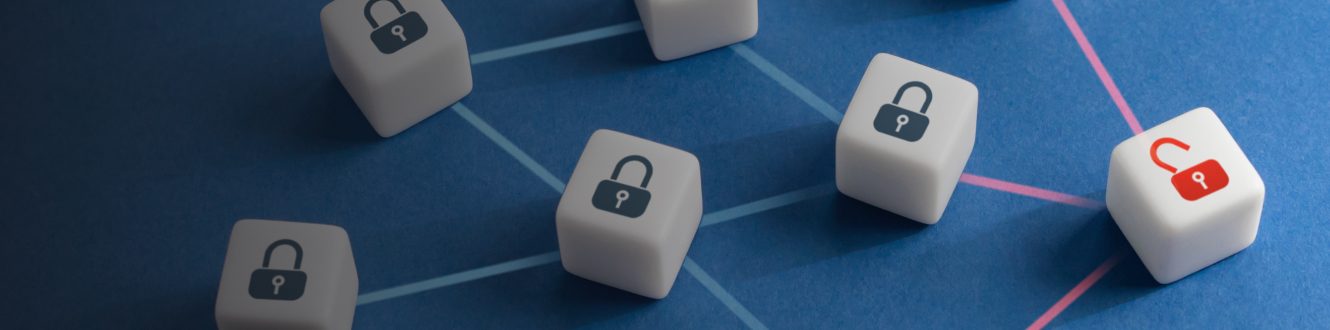
A lateral move happens in cybersecurity when an attacker compromises one account or device and uses the compromise to gain access to other accounts or devices. Lateral movement and privilege escalation usually go hand in hand when an attacker moves across the network and continues to gain access with increasingly higher privileges until sensitive data is stolen. Attackers can obtain lateral movement without detection if the network does not have monitoring tools in place. To stop lateral movement, organizations need resilient security infrastructure capable of detecting anomalous patterns.
Understanding Lateral Movement
Sensitive data is usually accessible only with high-privileged user accounts, which are few in number. Low-privileged user accounts, on the other hand, are much more numerous, giving attackers more opportunities when they need any account for an initial compromise. For example, corporate tax documents are typically only accessible to accountants, CFOs, and financial analysts. While there are only a few of these accounts, lower-privileged accounts could be used to inject malware onto the network or send phishing emails to financial employees to obtain their account credentials.
Lateral movement can also give attackers access to other devices. For instance, an attacker compromises an account on a workstation with local machine access to a server. Malware can then be installed on the server. The malware might be ransomware, a remote access tool (RAT), or a script used to exfiltrate data. In most lateral moves, the goal is to obtain sensitive data.
Techniques Used in Lateral Movement
In most lateral movements, the initial compromise is a business user account. Attackers gain access to these accounts using a few strategies: credential sprays, pass the hash, phishing, or malware injection. Here’s a brief description of each strategy:
- Credential sprays: Attackers script authentication requests using known credentials. If users assign the same password to multiple accounts, it’s possible that stolen credentials from one website could authenticate an attacker on the user’s business accounts, especially if two-factor authentication is not configured.
- Pass the hash: While a database of password hashes doesn’t disclose a plain text value, brute-force dictionary attacks could expose the plain text value behind a hash.
- Phishing: In business email compromise (BEC), attackers compromise an email account and send phishing emails to higher-privileged users.
- Malware injection: Remote access tools and malware eavesdropping on data could provide access to other machines or accounts on the network.
Attackers often use phishing or malware to first obtain access to a low-privileged account. Using that user’s email account, the attacker sends a message to another user in finance, human resources, or on the executive team asking for access to a specific resource. If the phishing target obliges, the attacker now has access to sensitive data.
Tools and Technologies Facilitating Lateral Movement
Cybercriminals leverage a set of tools to perform various attacks. Groups of attackers might build their own, but the hacking community has open, free-to-use applications of their own. Here are a few examples:
- Mimikatz: Some programs cache credentials in memory. Mimikatz scours computer memory for cached credentials to access other servers or workstations.
- PsExec: Microsoft developed PsExec for network administrators. It lets administrators start or stop services on remote servers. In the wrong hands, PsExec can be used to start malware on a remote server. The malware can be used to steal data or credentials.
- PowerShell: PowerShell is Microsoft’s version of scripting and scripting languages, but it can be used to access remote computers, download malware to a local device, or perform malicious activity on the network.
Detecting and Preventing Lateral Movement
After an initial compromise, an attacker has limited time to elevate privileges or laterally move across the network. Before the breakout of the low-privileged account, organizations must detect strange network behavior to stop additional damage after an initial data breach. Organizations have several strategies to detect anomalous activity and stop lateral movement:
- Use endpoint protection: Agents running on endpoints (e.g., cloud infrastructure or user remote devices) automatically update software, ensure antivirus is running, and stop malware from being installed.
- Enable network monitoring: Use network monitoring solutions to continually watch behavior patterns from user accounts. For example, an elevated number of access requests on a tax document after tax season could indicate a compromise. Network monitoring alerts administrators to review the activity.
- Offer security training: Train high-privileged users to identify phishing and social engineering.
- Configure network segmentation: Segmenting your network blocks access from one segment to another segment storing sensitive information. For example, the finance segment should block requests from the sales segment. This strategy reduces the mobility of a lateral move.
- Encrypt data: If you suffer from a data breach, data that has been encrypted will be unreadable to an attacker.
Conclusion
To stop lateral movement, the key to success is proactive detection and monitoring, segmenting your network, and protecting devices. Compliance regulations also require monitoring and auditing of sensitive data access requests. SIEM (security information and event management) is a good solution for monitoring and alerting administrators to unusual behaviors. To complement your security infrastructure, provide training to employees and contractors to help them identify and report potential attacks like phishing.
We Also Recommend...
Browse key resources and events

TRADESHOW
Pure Accelerate 2026
June 16-18, 2026 | Resorts World Las Vegas
Get ready for the most valuable event you’ll attend this year.

PURE360 DEMOS
Explore, learn, and experience Everpure.
Access on-demand videos and demos to see what Everpure can do.

VIDEO
Watch: The value of an Enterprise Data Cloud
Charlie Giancarlo on why managing data—not storage—is the future. Discover how a unified approach transforms enterprise IT operations.

BLOG
What’s in a Net Promoter Score?
For nine consecutive years, Everpure has maintained a Net Promoter Score of over 80. Find out how we did it and what it means for our customers.
Personalize for Me