Dismiss
Innovations
Everpure Simplifies Enterprise AI with Evergreen//One for AI and Data Stream Beta
Accelerate the transition from pilot to production with benchmark-proven performance, automated data pipelines, and a flexible consumption model.
Dismiss
June 16-18, Las Vegas
Pure Accelerate 2026
Discover how to unlock the true value of your data.
Dismiss
Innovation
A platform built for AI
Unified, automated, and ready to turn data into intelligence.
What Are Dynamic Disks?
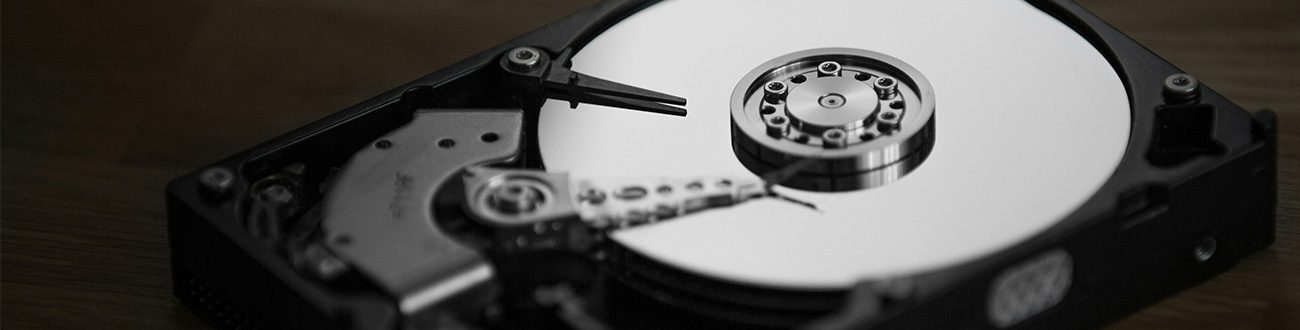
Dynamic disks are a form of flexible volume management in Windows that allows for alternate configurations, including spanned, striped, mirrored, and RAID-5 volumes, providing better performance and redundancy. A dynamic disk can be a single physical drive or a combination of multiple physical drives.
Dynamic disks enable a wide range of capabilities and features that can significantly enhance storage management, especially in environments with complex storage needs. Thanks to their structure, dynamic disks provide enhanced flexibility and management. They can support advanced volume types that basic disks cannot, each with its own benefits. Inherently, dynamic disks offer robust fault tolerance features that protect against hardware failures. They also enable more efficient use of hardware resources and make it much easier to scale storage solutions.
Not every environment or device needs dynamic disks. Basic disks are simple and straightforward solutions that are more than adequate for many users and settings. But when your storage needs are essentially anything other than default, dynamic disks provide greater flexibility and efficiency than basic disks.
How Do Dynamic Disks Work?
The key to understanding how dynamic disks work lies in the Logical Disk Manager (LDM) database. Stored on the disk itself, dynamic disk databases contain information about the dynamic volumes, their sizes, locations, and other attributes. The dynamic disk database tracks information about dynamic volumes on the disk and other dynamic disks attached to the device.
This database contains all the information necessary to manage dynamic disks because dynamic disks don't use partitions but instead rely on logical volumes. Formally speaking, dynamic disks allow volumes to have noncontiguous extents on multiple physical disks. These logical storage units can span multiple physical drives, and the database of a dynamic disk maintains the metadata needed to manage these configurations.
The LDM database gets initialized on the disk when the dynamic disk is first created. Containing detailed information about each volume (starting location, size, relationships to other volumes or disks), it allows the system to manage and access data even when it's stored across physical locations.
What Dynamic Disks Can Do
Dynamic disks are appropriately named: They're flexible and support many different configurations. Dynamic disks support five different types of volumes:
- Simple volume: This dynamic disk volume resides on a single physical disk.
- Spanned: A spanned volume combines disk space from multiple physical disks into one logical volume.
- Striped: A striped volume distributes the data of a single volume across multiple physical disks.
- Mirrored: A mirrored volume duplicates data across two physical disks.
- RAID-5: A RAID-5 volume provides a balance of improved performance and fault tolerance by striping data across three or more physical disks.
These five volume types can only be created and deleted on dynamic disks. Other operations are also unique to dynamic disks, including the ability to extend a simple or spanned volume, manage mirrors, repair mirrors and RAID-5 volumes, and reactivate missing or offline disks.
Dynamic disks are, by their nature, easily distributed across multiple physical disks. And the database which governs them is shared across dynamic disks on the system. This makes them a naturally fault-tolerant data storage solution. Using the database, it's possible to repair damaged dynamic disks by reconstructing the volume configuration and recovering data from intact disks. It means that even if one disk fails, the system can use the information stored on other disks to maintain data integrity and minimize downtime.
Benefits of Using Dynamic Disks
For the fairly low cost of their complexity of integration and administration, dynamic disks provide several benefits compared to basic disks. The key benefits of dynamic disks are:
Enhanced flexibility and management
The improved flexibility and management of dynamic disks comes from the fact that it's possible to extend volumes without restarting the system. Since it's possible to modify storage capacity on the fly, operations don't have to be interrupted to take advantage of their dynamic resizing and space utilization optimization.
Advanced volume types
Using the advanced volume types mentioned earlier, dynamic disks give storage environments a wide range of options for making use of available physical storage space and optimizing for performance, availability, or fault tolerance.
Fault tolerance and data protection
Dynamic disks have fault-tolerant configurations that rely on their databases of metadata to ensure that even if a disk fails, data isn't necessarily lost. By that same principle, dynamic disks make better and more efficient use of hardware resources by combining multiple disks into larger volumes or configuring existing hardware to be optimized specifically for high-speed data access.
Scalability
Dynamic disks are also highly scalable and adaptable. Since they can be expanded, reduced, reshaped, and configured on the fly, dynamic disks provide a future-proof way of matching storage capacity to needs.
Ease of management
The last major benefit of dynamic disks is their centralized management. One single interface is the place from which it's possible to manage all the volumes and disks under administration. This also leads to reduced downtime and minimized disruptions.
Conclusion
Up to now, we've discussed the basic definitions and capabilities of dynamic disks. But this is simply a primer to the wider world of virtualized volume management. Once you grasp the fundamentals of what a dynamic disk is capable of, you start to see the edges of this same concept one step more abstracted: containerization, a modern approach to deploying applications.
In containerized environments, the concept of dynamic disks is expanded one step further with advanced storage solutions that provide volume management, high availability, and scalability across containerization clusters. A good example of this is Portworx®, which is specifically designed for Kubernetes-native storage and data management. If you're interested in getting deeper into the connection between Kubernetes and the Portworx Dynamic Disk Provisioning feature, this documentation on disk provisioning goes into much greater detail.
The evolution from basic disks to dynamic disks is largely reflected in the evolution from dynamic disks to these container-facing solutions that represent a major leap forward in managing storage for distributed applications. At its core, however, all of these advances have aimed to maintain data integrity, efficiency, and availability at scale.
Browse key resources and events

TRADESHOW
Pure Accelerate 2026
June 16-18, 2026 | Resorts World Las Vegas
Get ready for the most valuable event you’ll attend this year.

PURE360 DEMOS
Explore, learn, and experience Everpure.
Access on-demand videos and demos to see what Everpure can do.

VIDEO
Watch: The value of an Enterprise Data Cloud
Charlie Giancarlo on why managing data—not storage—is the future. Discover how a unified approach transforms enterprise IT operations.

BLOG
What’s in a Net Promoter Score?
For nine consecutive years, Everpure has maintained a Net Promoter Score of over 80. Find out how we did it and what it means for our customers.
Personalize for Me