Dismiss
Innovations
Everpure Simplifies Enterprise AI with Evergreen//One for AI and Data Stream Beta
Accelerate the transition from pilot to production with benchmark-proven performance, automated data pipelines, and a flexible consumption model.
Dismiss
June 16-18, Las Vegas
Pure Accelerate 2026
Discover how to unlock the true value of your data.
Dismiss
Innovation
A platform built for AI
Unified, automated, and ready to turn data into intelligence.
What Is a Blade Server?
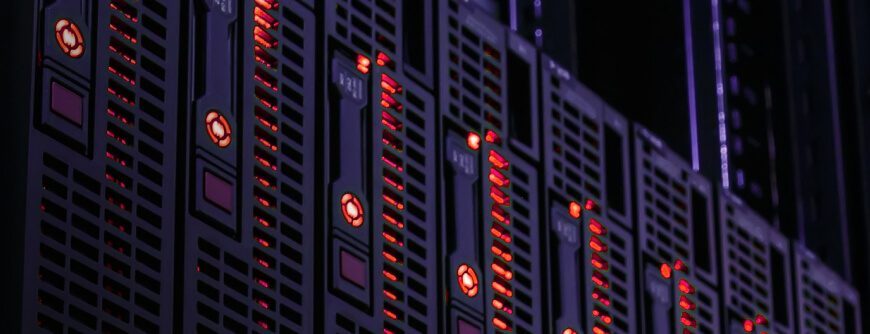
In a high-speed, high-capacity environment like a cloud data center, administrators have finite real estate to fit hardware. A blade server minimizes the space needed to host thousands of servers by providing a compact physical machine that can fit into a chassis. A chassis can hold multiple blade servers and is then installed in a rack. The compact servers work together to provide high-powered computing services for enterprises.
What Is a Blade Server?
In a data center environment, administrators need to fit as many servers as possible. The term “blade” is used to describe very thin and small servers that fit into “bays” and connect together to perform high-powered computing. The bays are in a box-like container (chassis) that fits potentially up to eight blades. The chassis can then be installed in a rack located in the data center. With this configuration, you can fit dozens of servers in one rack.
Because blades are individual servers, they contain the basic hardware components that make up a machine such as CPU, memory, network controllers, and input and output ports. Several blades are connected together using fiber so that data can be shared quickly between servers and the network.
What Are the Components of a Blade Server?
The hardware included with a blade server depends on the manufacturer, but most machines come with common basic components. The server has the basics to run without having a large individual server that takes up too much space. The compact machine contains a CPU, memory, and components to keep the machine cool (e.g., a heat sink).
Hot-swappable drives can be installed in many blade servers, but you can also use network attached storage (NAS) or a storage area network (SAN) to host files for the blade server to use. It also contains network controllers and an interface to connect to the local network.
The blades connect to a chassis, which is the outer part that holds multiple blade servers together. The chassis connects to a rack enclosure. The number of chassis that fit into a rack depends on the size of the rack and the size of each chassis. Usually, the rack must also have space for the cables that connect to the blade servers.
How Does a Blade Server Work?
In a traditional single-server setting, a business has one server that manages computing services. In the cloud, administrators can leverage multiple servers without the cost of hosting the hardware locally. A blade server is an individual server, but several blade servers work together to combine their computing power to perform functions such as running user applications. Each blade server would be responsible for an application, but the servers can share data across the network.
One benefit of blade servers over rack servers is that blade servers are more compact, so you can fit more of them within a single chassis and server rack. Blade servers contain minimal components to run effectively, but they still produce heat that must be removed from the environment.
Every blade contains a single server, but several blades can be contained within a single rack. Corporations that lease blade servers usually lease several at a time to support critical applications, but these servers are very modular. You can move blade servers between data centers using hot-swappable capabilities without powering down all the blade servers in a cluster.
Reasons to Use a Blade Server
If you need several servers but don’t have the real estate to house them, a blade server is a good option. Each blade is a single server, and these blades fit into a small area. Using cloud services, you can lease blade servers without installing them in your local physical office space. However, data center administrators still must install them on premises.
Blade servers are the most compact computing power you can get, so they’re usually part of enterprise computing power to support critical applications that need fast speeds to service thousands of users. If you decide to move your blade servers, they’re hot-swappable and don’t require administrators to power down the entire system to move them. The main benefits of blade servers are that they:
- Are modular and hot-swappable
- Offer high-speed computing power
- Support popular web services such as streaming, web caching, and virtualization
- Provide clustered services with load balancing and failover
Reasons Not to Use a Blade Server
If you own a small business and want to host services on premises, you may not need to spend money on blade servers, which can be more expensive than a standard stand-alone server. If your organization can run on simple on-premises or cloud services, a blade server might not be necessary.
Using cloud services, you don’t need to worry about the maintenance involved with blade servers. Heat and humidity management is important when housing any computing equipment, including blade servers. If you want to house computer equipment, you need the right heat and humidity controls to properly maintain the server environment. Without it, you shouldn’t install blade servers locally.
Conclusion
Blade servers support virtualization, so you can even use them in a cloud environment. The types of servers offered by a cloud provider depend on the service you leverage, so you might already be using blade servers in the cloud. If you specifically need fast, compact servers, a blade server can be used to deliver fast applications and support thousands of users.
Test Drive FlashBlade
No hardware, no setup, no cost—no problem. Experience managing an Everpure FlashBlade, the industry's most advanced solution delivering native scale-out file and object storage.
We Also Recommend...
Browse key resources and events

TRADESHOW
Pure Accelerate 2026
June 16-18, 2026 | Resorts World Las Vegas
Get ready for the most valuable event you’ll attend this year.

PURE360 DEMOS
Explore, learn, and experience Everpure.
Access on-demand videos and demos to see what Everpure can do.

VIDEO
Watch: The value of an Enterprise Data Cloud
Charlie Giancarlo on why managing data—not storage—is the future. Discover how a unified approach transforms enterprise IT operations.

BLOG
What’s in a Net Promoter Score?
For nine consecutive years, Everpure has maintained a Net Promoter Score of over 80. Find out how we did it and what it means for our customers.
Personalize for Me