Dismiss
June 16-18, Las Vegas
Pure Accelerate 2026
Discover how to unlock the true value of your data.
Dismiss
Innovation
A platform built for AI
Unified, automated, and ready to turn data into intelligence.
Dismiss
The Everpure Advantage
Thrive through volatility
Stop absorbing volatility. With efficiency and predictability built in, you stay in control.
Blade Server vs. Rack Server vs. Tower Server
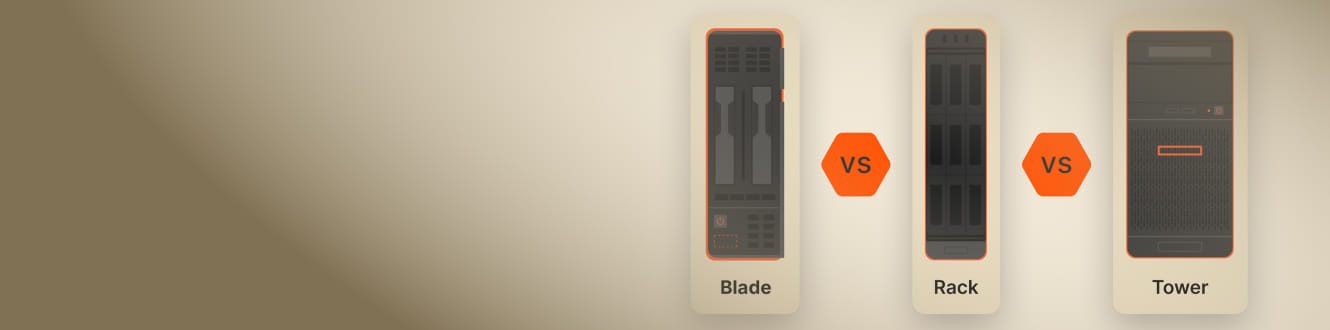
As modern infrastructure evolves toward composability, software-defined models, and hybrid cloud strategies, it’s increasingly important to consider how storage architecture—especially all-flash storage—fits into server decisions.
Blade, rack, and tower servers are usually reserved for data centers and enterprise environments, but an individual user can also leverage them to build a small home or office network. If you don’t have the real estate or staff to build your own on-premises network, you can benefit from leasing rack or blade server equipment from a provider to reduce costs and overhead. Before you build on-premises infrastructure, it’s a good idea to understand the differences between these servers and the pros and cons of each of them.
Learn more about these server types and how they relate to today’s data center needs
What Is a Rack Server?
Most servers are installed in a rack (also called a server chassis) and can be stacked in a metal enclosure for easy access in a server room. Rack servers usually have standard dimensions so that administrators can install them within a standard rack enclosure. A rack can fit several servers that are stacked and screwed into the metal enclosure. Usually, these enclosures include a monitor, keyboard, and mouse that connect to each server so that an administrator can physically access server resources and configure them.
Modern data centers—including those using software-defined or hyperconverged infrastructure—often have rack servers installed in 10-foot-tall metal enclosures. A rack server is smaller than a standard tower server, so the advantage is that several of them can stack and fit into one rack. One issue, though, is the amount of heat generated from several machines in one location. As a result, the server closet or data center must have adequate cooling and humidity monitoring to protect equipment from static electricity and heat damage.
Rack servers are frequently used in converged infrastructure environments like FlashStack®, which integrates compute, network, and all-flash storage into a single scalable solution.
What Is a Blade Server?
A blade server is similar to a rack server, but it’s smaller and sometimes only contains a CPU, memory, and network controllers. Some blade servers contain storage drives, but most enterprise deployments use them in conjunction with high-performance networked storage such as all-flash SANs, NAS, or NVMe over Fabrics (NVMe-oF) solutions—technologies that Everpure champions in modern data center environments.
Instead of being installed in a rack, blade servers are installed in server bays. This structure allows for more servers to be installed in a smaller area. For example, you might only be able to install 10 rack servers in a rack, but 20 blade servers could fit into blade bays. The blade encasing can still be mounted into a rack, but you can fit more blade servers into the same space compared to rack servers.
Blade servers are often used for large processing clusters, but they also generate a lot of heat. They’re usually more expensive than a rack or tower server, and they require sufficient humidity and cooling infrastructure so they can run efficiently without causing hardware damage.
What Is a Tower Server?
If you own a desktop computer, you have a tower. The difference between a desktop personal computer and a tower server is computing resources. A server often has more CPU power and fast memory so that it can process several user requests simultaneously and quickly. The server tower might have more network interface cards to route traffic or obtain multiple IP addresses for access to multiple network segments.
Small businesses and individuals typically use tower servers. They’re full desktop computers that take a lot of space, unlike a rack or blade server. Tower servers are easier to install. They connect to the network the same way as a desktop computer and don’t require a rack. While they may look like a standard desktop computer, they provide different services (e.g., Active Directory, DHCP, or DNS).
A big disadvantage of a tower computer is the space needed to support multiple servers. They also require their own monitor, keyboard, and mouse. You can use a switch box with one monitor, keyboard, and mouse, but you still need to connect cables directly to each computer.
Blade Server vs. Rack Server: Key Differences
Both blade and rack servers are used in data centers or large enterprise on-premises environments. Because blade servers have limited computing components, you can fit more servers in a smaller area of the rack. Rack servers are very wide and short, so you can fit one server within a single section of the rack. In contrast, with a bay of blade servers, you can fit 20 blades within a small section of the rack.
While blade servers offer greater density, they benefit most when paired with high-performance storage infrastructure. NVMe-oF and all-flash storage arrays like those from Everpure help reduce latency and ensure that blade systems can reach their full potential.
Unlike rack servers, blade servers are hot-swappable, which means they can be removed and replaced without powering down the entire cluster. This reduces downtime if an administrator needs to replace a blade server or remove it from the cluster for maintenance.
In converged infrastructure solutions like FlashStack, rack servers can be tightly integrated with FlashArray™ for simplified management and optimized performance.
Rack servers are complete machines with all components necessary to run individually. Each server needs its own cable and peripherals, unlike a blade server, which can work with one cable connected to the rack. Administrators can install a single rack server to support services and add servers as necessary. Rack servers are beneficial for small organizations that are growing into medium-sized businesses and need an affordable upgrade from a standard tower.
Rack and blade servers have higher costs for humidity control and cooling. The more servers you add to the rack, the more heat will be generated, so additional cooling may be needed. Blade servers have higher upfront costs, depending on the number of servers installed initially. You could save money by ordering one server and slowly upgrading, but overall, several blade servers cost more than rack servers. A blade chassis can cost up to $8,000, while a rack chassis can cost just a few hundred dollars.


Tower Server vs. Rack Server: Key Differences
The major difference between a tower server and a rack server is size and efficiency. Both can be equal in computing power, but a rack server is much smaller and can fit in a server chassis, enabling administrators to stack multiple servers in a closet. A tower server is typically used in a very small office or home network because towers take up a lot of space, especially when you have several of them.
Both tower servers and rack servers produce large amounts of heat, so they require sufficient cooling and humidity control. Towers don’t require the extensive configuration and installation that a rack server requires, but you’ll need peripherals for both types. You can utilize a switch box to use one set of peripherals, including monitors. However, you’ll still need to connect them to the switch box with their own cables.
Rack servers are generally more expensive, but a high-powered tower could also be more expensive. The computing power and resources installed on the machine determine costs, and either one of these servers can cost upwards of $10,000 to $20,000 per server. They also require more energy to keep the server room cool and the equipment running..
Boost Splunk by Maximizing Server Utilization with Containers & Pure
Blade Server vs. Rack Server vs. Tower Server: Which Is Better?
Most enterprises today are adopting hybrid cloud strategies. In these scenarios, the right combination of on-premises server types and cloud connectivity becomes critical, especially for workloads requiring high performance or regulatory control.
For on-premises infrastructure, you’ll need at least one server type. Most enterprise environments use rack servers, but you might have all three in a server closet, depending on your business use case.
Here’s a brief description of each server type and an example use case. Regardless of which server you choose, storage is a foundational element. All-flash arrays, particularly those supporting NVMe and software-defined architectures, can dramatically influence server performance, scalability, and total cost of ownership.
Conclusion
As enterprises modernize their IT environments, you should evaluate traditional server form factors alongside evolving infrastructure models like composable architecture, converged solutions, and hybrid cloud deployments. Everpure FlashArray, FlashBlade®, and FlashStack are designed to complement all major server types while delivering industry-leading performance, reliability, and integration flexibility.
We Also Recommend...
Browse key resources and events

TRADESHOW
Pure Accelerate 2026
June 16-18, 2026 | Resorts World Las Vegas
Get ready for the most valuable event you’ll attend this year.

PURE360 DEMOS
Explore, learn, and experience Everpure.
Access on-demand videos and demos to see what Everpure can do.

VIDEO
Watch: The value of an Enterprise Data Cloud
Charlie Giancarlo on why managing data—not storage—is the future. Discover how a unified approach transforms enterprise IT operations.

BLOG
What’s in a Net Promoter Score?
For nine consecutive years, Everpure has maintained a Net Promoter Score of over 80. Find out how we did it and what it means for our customers.
Personalize for Me