Dismiss
Innovations
Everpure Simplifies Enterprise AI with Evergreen//One for AI and Data Stream Beta
Accelerate the transition from pilot to production with benchmark-proven performance, automated data pipelines, and a flexible consumption model.
Dismiss
June 16-18, Las Vegas
Pure Accelerate 2026
Discover how to unlock the true value of your data.
Dismiss
Innovation
A platform built for AI
Unified, automated, and ready to turn data into intelligence.
On-premises vs. Cloud: Differences, Benefits, and Risks
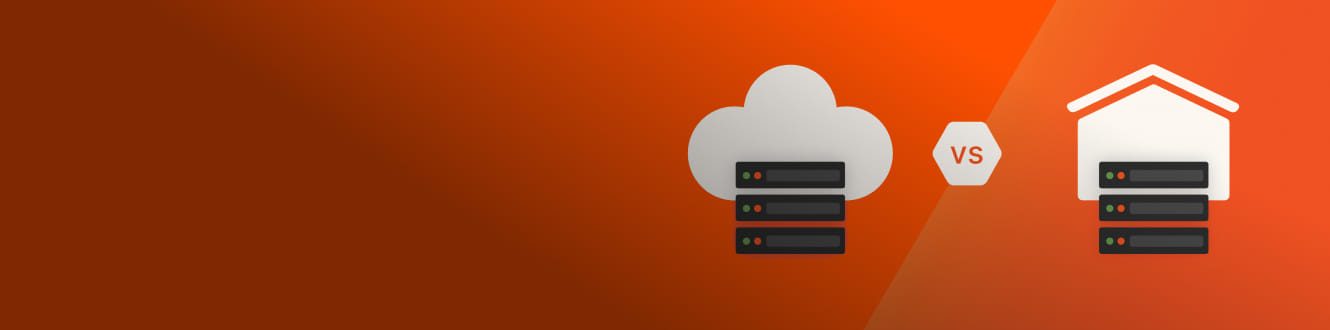
While it’s tempting to compare the pros and cons of cloud versus on-premises IT, such comparisons oversimplify the issues. To begin with, deciding whether to manage data in-house or in the cloud has never been a binary choice. What suits a small business might be completely inadequate for a large financial services company with global operations and ample IT staffing.
On one hand, there’s the traditional approach, where resources are housed within the organization’s physical data center. On the other hand, cloud service providers offer their own data center infrastructure through a subscription you can use to access network, storage, and compute resources on demand.
The choice between these two isn’t black and white; it hinges on various factors like cost, security, scalability, and organizational preferences. Depending on their needs, organizations might be using on premises, cloud, edge deployments, content delivery networks, or all of these elements together to host and manage data. In this article, we’ll explore the differences between on-premises and cloud approaches and how to determine which solution is best for your needs.
What Is On-premises Storage?
On-premises backup means placing compute resources in a data center-like environment that an organization or user builds and maintains themselves. Connectivity might be through a private network locally, as well as through the public internet for dispersed users.
What Is Cloud Storage?
Cloud hosting means placing compute resources—such as storage, applications, processing, and virtualization—in multi-tenancy third-party data centers that are accessed through the public internet. There are several different types of cloud storage and backup:
- Public clouds are clouds where a set of services are delivered to businesses or organizations by third-party providers via the internet. Service providers offer resources such as applications, compute, and storage through free or pay-per-usage models.
- Private clouds deliver many of the same benefits of a public cloud—speed, scalability, and cost savings. But instead of serving multiple organizations like a public cloud, a private cloud is dedicated to a single organization. Private clouds satisfy the concerns of IT leaders for security while keeping data centers agile and cost-efficient.
- Multicloud storage means placing compute resources—such as storage, applications, processing, and virtualization—in multi-tenancy third-party data centers that are accessed through the public internet.
- Hybrid clouds are a combination of cloud and on-premises deployments that are unified in a centralized platform for management and orchestration.
Pros and Cons of On-premises Storage
On-premises storage offers more control of vital functions such as security and configuration—but at the expense of cost controls and scalability.
The pros:
- Organizations can fully customize the storage systems to their specific needs, including hardware configuration, software, and security settings.
- You have total control over how data is stored, accessed, and secured, which is especially critical for businesses with strict regulatory or compliance requirements.
- On-premises storage gives you physical access to data, which is critical in industries with high security or privacy concerns.
- Because data is stored locally, latency is usually lower.
- Performance is usually consistent and predictable since storage isn’t subject to the potential bandwidth bottlenecks connected with cloud storage.
The cons:
- Setting up on-premises storage involves a good deal of capital expenditure on hardware and software licenses.
- Ditto for maintenance: Organizations need to budget IT time to maintain and upgrade the infrastructure.
- On-premises storage is tougher to scale, often demanding more costly hardware.
- Scaling on-premises storage often requires additional hardware purchases, a slow and costly process.
- Scaling storage may require larger investments in infrastructure.
- Organizations need people with the skill sets necessary to manage and configure on-premises storage.
Pros and Cons of Cloud Storage
Managing data in the cloud provides scalability and saves CAPEX budget, but your organization has to cede some control to the cloud provider.
The pros:
- Cloud storage providers typically charge for services on a pay-as-you-go basis, so organizations pay only for the resources they actually use.
- Cloud storage doesn’t require CAPEX costs for infrastructure.
- Cloud services are scalable so businesses can quickly adjust computing power, storage, and bandwidth as needed.
The cons:
- Storing data off-site means you may have less control over security.
- Cloud services rely on the provider’s infrastructure, which means their service disruptions or outages can affect your business operations.
- You have limited control over uptime since outages are out of users’ control.
- If cloud usage spikes, you have less control over costs.
Differences between On-premises and Cloud Storage
How do you choose between on-premises and cloud data storage? It’s all about the best fit for the business. Here are some factors to consider:
Compliance and Regulation
If your organization is in a heavily regulated industry like finance or healthcare, compliance has to come before all else, including maintaining extra redundancy in backups.
Agility and Ease of Use
This is one area where the cloud usually takes a lead in the comparison. A cloud provider can provide massive capacity and the ability to scale resources on demand, even in real time if needed. A cloud provider also allows you to outsource provisioning as well as expertise.
For most organizations, these are huge advantages for accelerating growth and agility. However, the cloud introduces another layer to managing IT, which can actually hinder agility. For backups, performance and data flow requirements could also be a determining factor in where resources are deployed. If a backup is being updated in real time with large amounts of data, it may need physical proximity to the production environment or the technology to enable rapid processing.
Costs and Cost Structure
The cloud usually prevails when it comes to budget. The cost of continuously acquiring hardware is significant, but the real pain becomes apparent when you add in the costs of skilled personnel to manage local deployments. For large organizations, these costs might be entirely manageable.
But here’s a “con” for the cloud checklist: Cloud costs can be unpredictable and difficult to manage. During periods of growth or expansion, cloud sticker shock is a common headache. Without thorough communication between IT and finance, and a process to anticipate and deal with spikes in expenses, cost overruns can put your budget at risk.
Security and Safety
It’s hard to say if the cloud or on-premises data management options are safer than the other. The safety of the cloud environment depends on the expertise and threat intelligence of the provider, assuming the provider is fulfilling its obligations to customers.
Both cloud and on-premises data management solutions could be infected by ransomware. Both could be compromised by human error. To provide the safest cloud possible, many organizations use private clouds out of concern that proximity to the public web puts resources at risk.
Resilience
Deploying multiple backups and having a well-designed management process is great, but backups don’t prove themselves until restoring assets in the event of a cyberattack or technical problem. Resilience can be a virtue for both cloud and on-premises data. If rapid restoration is the first priority, a backup in closest proximity to the production environment might be the best choice. On the other hand, cold data might be easily restored from a variety of sources.
Bridging the Cloud Divide with the Everpure Data Platform
The Everpure platform helps organizations make the most of their data, anywhere, creating a seamless data management experience from on premises to all your clouds:
- The unified platform allows you to seamlessly migrate and manage your data across clouds with unparalleled ease, enabling true cloud flexibility everywhere.
- Dramatically reduce costs with optimized cloud storage across Azure and AWS.
- Everpure Cloud for Azure unlocks enterprise-scale VMware migrations with fully managed block storage as a service for Azure VMware Solution.
- Portworx® delivers a cutting-edge container data management platform that integrates with Everpure for operating across clouds.
We Also Recommend...
Browse key resources and events

TRADESHOW
Pure Accelerate 2026
June 16-18, 2026 | Resorts World Las Vegas
Get ready for the most valuable event you’ll attend this year.

PURE360 DEMOS
Explore, learn, and experience Everpure.
Access on-demand videos and demos to see what Everpure can do.

VIDEO
Watch: The value of an Enterprise Data Cloud
Charlie Giancarlo on why managing data—not storage—is the future. Discover how a unified approach transforms enterprise IT operations.

BLOG
What’s in a Net Promoter Score?
For nine consecutive years, Everpure has maintained a Net Promoter Score of over 80. Find out how we did it and what it means for our customers.
Personalize for Me