Dismiss
Innovations
Everpure Simplifies Enterprise AI with Evergreen//One for AI and Data Stream Beta
Accelerate the transition from pilot to production with benchmark-proven performance, automated data pipelines, and a flexible consumption model.
Dismiss
June 16-18, Las Vegas
Pure Accelerate 2026
Discover how to unlock the true value of your data.
Dismiss
Innovation
A platform built for AI
Unified, automated, and ready to turn data into intelligence.
QLC vs. TLC: Which Is the Better SSD?
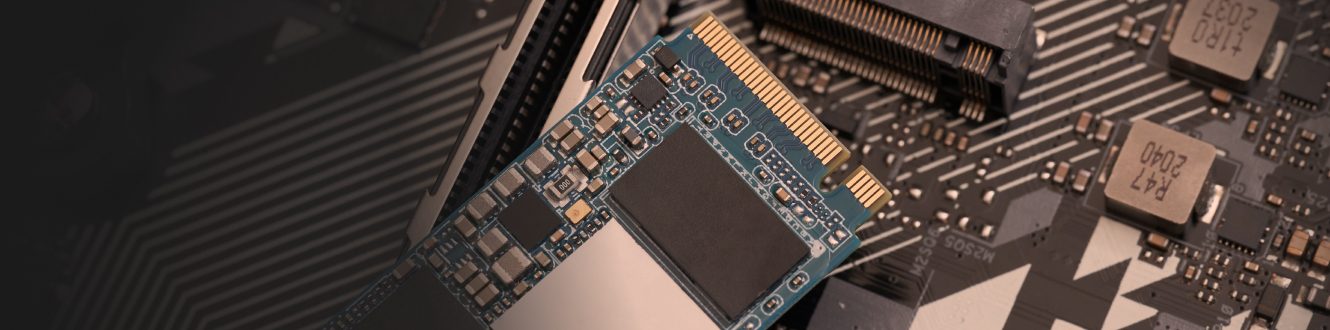
Both quad-level cell (QLC) solid-state drives (SSDs) and triple-level cell (TLC) SSDs can provide excellent data storage solutions, but you’ll need to determine which is best suited for your particular needs. Both QLC and TLC SSDs excel in certain areas and come with certain disadvantages. But before trying to pick an SSD, let’s examine the underlying technology.
QLC vs. TLC NAND—What’s the Difference?
QLC and TLC are two different types of NAND flash storage. The primary difference between QLC and TLC NAND is the number of charge levels and hence the corresponding storage capability: QLC has 16 different charge levels, compared to TLC’s eight, which means QLC can store four bits of data per cell, compared to three bits of data per cell for TLC.
How Voltage Levels Store Data
NAND flash memory stores data by trapping electrons in floating gate cells. Different voltage levels represent different bit patterns—when data is written, precise amounts of electrical charge are injected into each cell. During read operations, the storage controller measures the voltage level and translates it back to bits. TLC must distinguish between eight voltage levels (for three bits), while QLC must differentiate between 16 levels (for four bits).
NAND inside of an SSD
An SSD combines NAND flash memory with a controller and interface that enables the drive to function as a drop-in replacement for traditional hard-disk drives. SSDs have a flash translation layer (FTL), which is internal software designed to mitigate errors with the NAND media and manage wear leveling, error correction, and bad block management while making the NAND mimic an HDD.
But for TLC and QLC SSD storage, NAND density is not the only difference:
- Cost: Because of its bigger capacity, when QLC NAND is used in an SSD, it can now deliver per-terabyte costs that match or beat those of hard-disk drives (HDDs). Because cost per unit of storage decreases as storage capacity increases, a QLC-based SSD is almost always going to have a higher density and be less expensive than a TLC SSD.
- Performance: TLC SSDs are generally faster than QLC SSDs because they have only eight voltage levels, whereas QLC SSDs have 16 voltage levels, each of which needs to be checked and translated back to bits when reading data. TLC is typically sub-millisecond, while QLC is a 2-4 millisecond response time.
- Endurance: The more charge levels an SSD has, the fewer program/erase (P/E) or write cycles it can support. Thus, QLC SSDs have lower write endurance than TLC SSDs. This impact is worrisome with standalone QLC SSDs but can be mitigated with arrays that have integrated NAND management.
- Reliability: Because they have 16 different voltage levels, compared to TLC’s eight, QLC NAND is more sensitive to noise, leading to more processing needed in the FTL to avoid higher bit error rates.
Should I Buy a QLC or TLC SSD for My NAS, SAN, or Server?
Now that we’ve covered the key differences between QLC SSDs and TLC SSDs, let’s take a closer look at the situations where you might use one over the other.
QLC SSDs work great for their intended purpose—i.e., as low-cost storage to replace HDDs in read-heavy workloads. Their peak read performance can rival that of TLC-based SSDs. The challenge with QLC SSDs is that the write cycle is slower, so in heavy write situations, their performance still lags behind.
As mentioned above, QLC SSDs deliver a lower storage cost per capacity than TLC SSDs, so if your SAN or NAS has, or will have, the need to store data for long periods of time, then a QLC drive is probably the better choice.
Many of today’s most popular enterprise-grade applications are more read-heavy than write-heavy, making QLC an ideal consideration when moving from HDD to NAND-based storage.
These include:
- Data analytics
- AI
- NoSQL databases
- Streaming media and content delivery networks
If your application is going to involve any of the above, you’ll likely benefit from choosing QLCs over TLCs.
When to Use TLC SSDs over QLC SSDs
If performance and endurance are more important to you than cost or storage capacity, a TLC SSD is generally going to be a better choice than a QLC SSD, assuming your budget can accommodate the higher price of the TLC SSDs.
The better performance of TLC NAND typically makes it a better choice for things like:
- High IOP databases
- Ultra-low latency applications
The longer endurance that TLC offers will help with:
- USB drives
- Enterprise- and consumer-grade SSDs
- Storage cards for digital cameras and mobile phones
Direct to NAND Bypassing the SSD
The best way to take advantage of QLC’s low cost, but still get the high performance expectations of NAND, is to use an integrated array. The Everpure Purity operating system is unique in the industry—it's the only storage operating system that bypasses the SSD entirely and directly accesses the NAND through DirectFlash® Modules. This eliminates the FTL, which is an extra component that can fail, consumes electricity, and adds unnecessary latency. By removing this layer, integrated arrays provide flash management at the array level, not the device level. By not using an SSD but instead directly accessing the NAND (and hence bypassing the FTL), an integrated array can provide proper wear leveling across all of the QLC NAND on the array. This allows for better performance and endurance at the overall lower cost that QLC can offer. This approach also works well for TLC NAND by extracting all of the performance that TLC can provide.
The Verdict: QLC SSDs vs. TLC SSDs vs. Integrated Arrays
For the same form factor, QLC SSDs can store more data than TLC SSDs, and they also cost less. TLC SSDs perform better and last longer than QLC SSDs but cost more. An integrated array that uses NAND directly can provide better performance and endurance. It’s very important to keep in mind that the quality of SSDs can vary greatly from manufacturer to manufacturer and also that different vendors have different support policies to offset the lower endurance of QLC.
Everpure Complete NAND Portfolio
Everpure strategically matches the right NAND technology to each array model's intended purpose:
- TLC-based arrays for performance-critical workloads: FlashArray//XL™ and FlashArray//X™ for mission-critical enterprise applications
- QLC-based arrays for capacity-optimized workloads: FlashArray//C™ for mainstream enterprise block storage, FlashArray//E™ for backup and archive, and FlashBlade//S™ and FlashBlade//E™ for unstructured data and modern analytics
All Everpure arrays benefit from:
- DirectFlash Modules that bypass traditional SSD limitations
- A modern data storage solution providing the operational agility to handle both performance-sensitive and capacity-oriented workloads
- A single pane of glass for managing all storage resources
- Evergreen® Storage for true non-disruptive upgrades without downtime or data migrations
We Also Recommend...
Browse key resources and events

TRADESHOW
Pure Accelerate 2026
June 16-18, 2026 | Resorts World Las Vegas
Get ready for the most valuable event you’ll attend this year.

PURE360 DEMOS
Explore, learn, and experience Everpure.
Access on-demand videos and demos to see what Everpure can do.

VIDEO
Watch: The value of an Enterprise Data Cloud
Charlie Giancarlo on why managing data—not storage—is the future. Discover how a unified approach transforms enterprise IT operations.

BLOG
What’s in a Net Promoter Score?
For nine consecutive years, Everpure has maintained a Net Promoter Score of over 80. Find out how we did it and what it means for our customers.
Personalize for Me